Features
What it does today
Everything here is in the RustMC repository today. Server features stay off until you turn them on, and each section links to its documentation.
01 / Bridge
Bedrock players, same world
Turn on bedrock.enabled and Minecraft: Bedrock Edition 1.26.50 clients join over UDP into the same world as Java players. There is no proxy and no second server: each Bedrock player is translated onto the Java connection path, so the game, and every plugin, treats them as any other player.
- Every Bedrock player must be signed in to Xbox Live, checked against the authorisation service's keys.
- They appear under their gamertag with a leading
., so they stand apart from Java names. - Anti-xray covers them too: a translated connection only ever carries masked chunks.
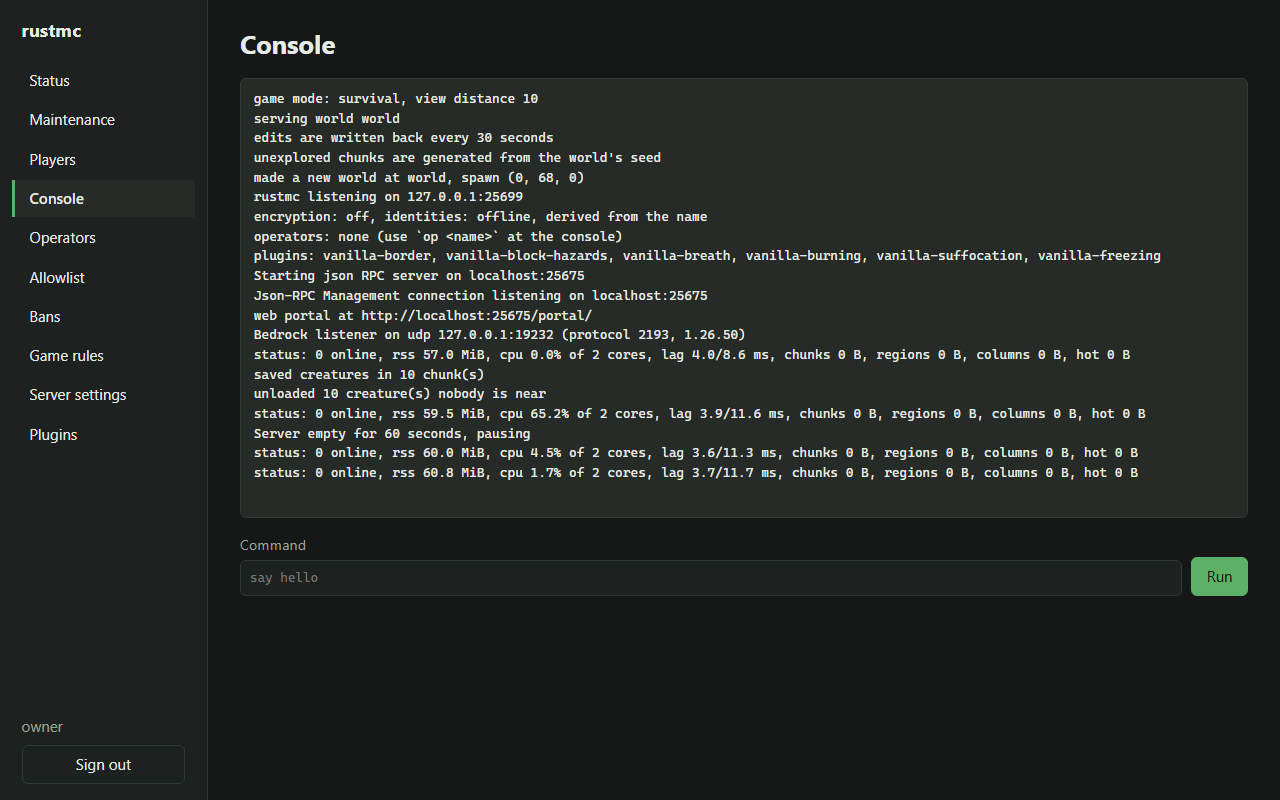
The listener announces itself at startup, as in the portal's console below: Bedrock listener on udp … (protocol 2193, 1.26.50).
# rustmc.yml
bedrock:
  enabled: true
  port: 19132
02 / Plugin API
Plugins in Rust, or anything that compiles to WebAssembly
A plugin is compiled into the server in Rust, or loaded from a .wasm file. Both go through the same trait and the same bus, which cannot tell them apart. A plugin can do three things:
- Listen to 51 events, and veto the cancellable ones.
- Hook any of 424 steps: run before it (prepend), instead of it (override), or after it (append).
- Ask the server through 264 host calls: players, blocks, entities, inventories, menus, storage, the map and more.
Every list in the reference is checked against the code by the repository's own tooling, and a page that falls out of date fails the check.
// From the Rust plugin guide: `/say hello` becomes `/say HELLO`.
impl Plugin for Shout {
    fn manifest(&self) -> Manifest {
        Manifest::new("shout", "1.0")
            .hearing(&["player_joined"])
            .hooking("command.say", Mode::Prepend)
    }

    fn on(&self, host: &dyn Host, event: &Event) -> Outcome {
        if let Event::PlayerJoined { name, .. } = event {
            host.broadcast(&format!("{name} is here!"));
        }
        Outcome::Continue
    }

    fn hook(&self, _host: &dyn Host, call: HookCall<'_>) -> Reply {
        let mut input = call.input.clone();
        let loud = input.get("rest").and_then(|r| r.as_str()).map(str::to_uppercase);
        match loud {
            Some(loud) => { input.set("rest", loud); Reply::Replace(input) }
            None => Reply::Pass,
        }
    }
}
03 / Packets
A hook on every packet
Each of the protocol's 260 packets, in every connection state and both directions, is a hook point of its own: packet.<state>.<direction>.<name>. A plugin can read a packet as named fields, rewrite it, drop it, or send one of its own to a single player.
Packets follow the game version, so the docs say plainly that these hooks change between versions, and point to an event or a named hook point where one exists.
packet.play.clientbound.set_title_text
packet.play.serverbound.chat_command
packet.configuration.clientbound.registry_data
packet.status.clientbound.status_response
04 / Web map
A live web map, with fog of war
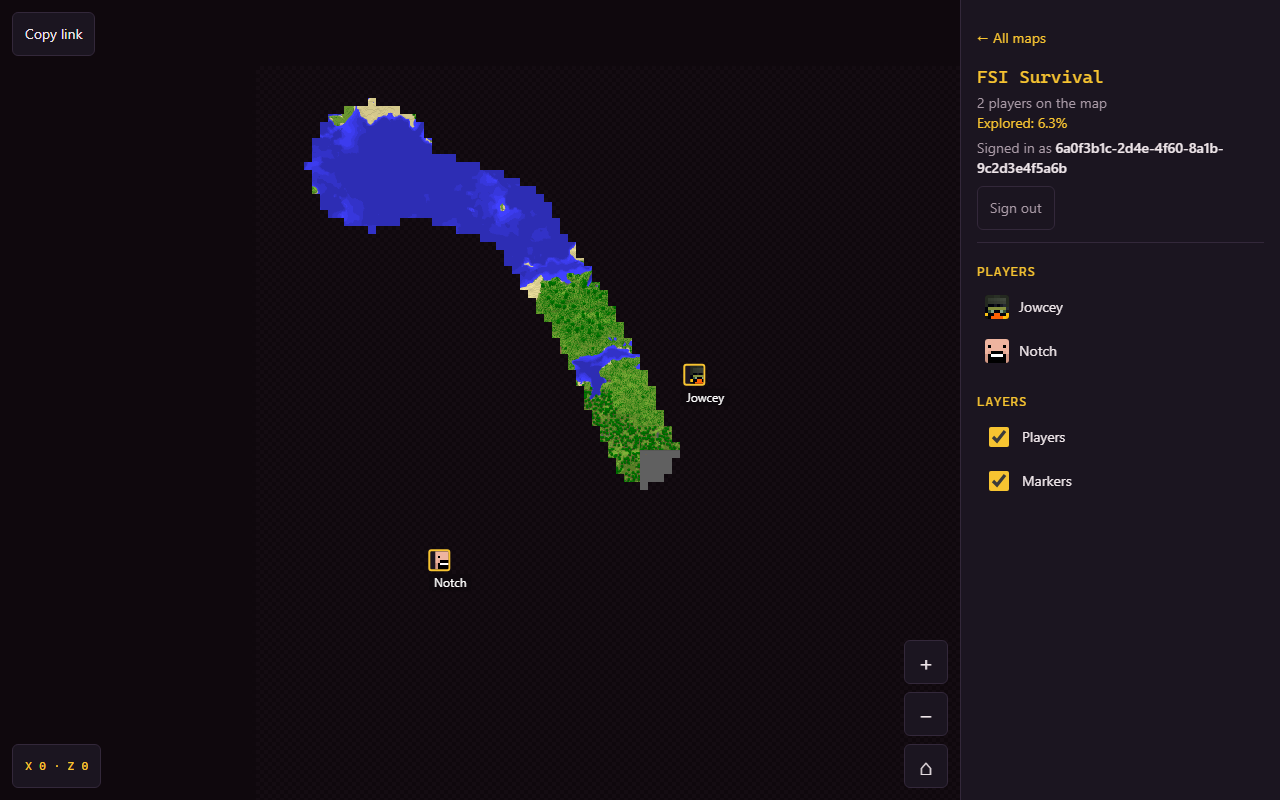
The server draws the overworld from above and serves it in a browser: a pan-and-zoom map with players, the places plugins mark, and an overview. No separate renderer to run.
- Live maps show the world as it stands, builds included, drawn on demand off the tick and redrawn as chunks change.
- Drawn once maps show the seed's terrain only, for a server where a base on the map is a base raided.
- Fog of war, shared or per player, hides the map where nobody has been. Hidden ground is painted over on the server before a tile is encoded, so it is never sent.
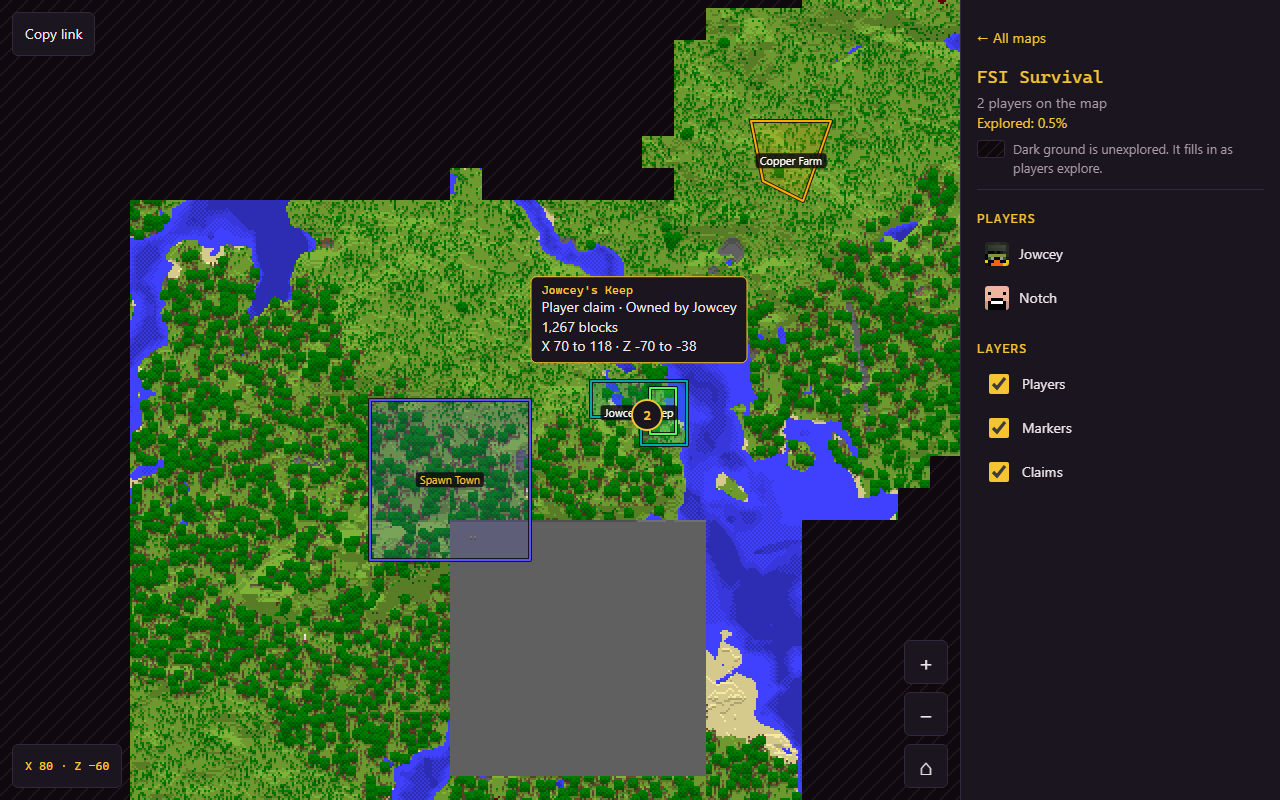
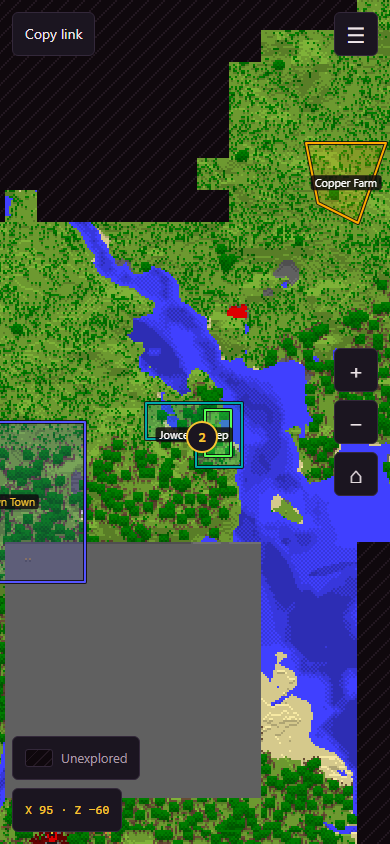
- Plugins can add layers: FSI's claims plugin draws its claims on the map.
Per-player fog
With fog: per-player, each signed-in viewer sees only where they have been. The ground they have not explored is never in the image they are sent.
05 / Portal
Run the server from a browser
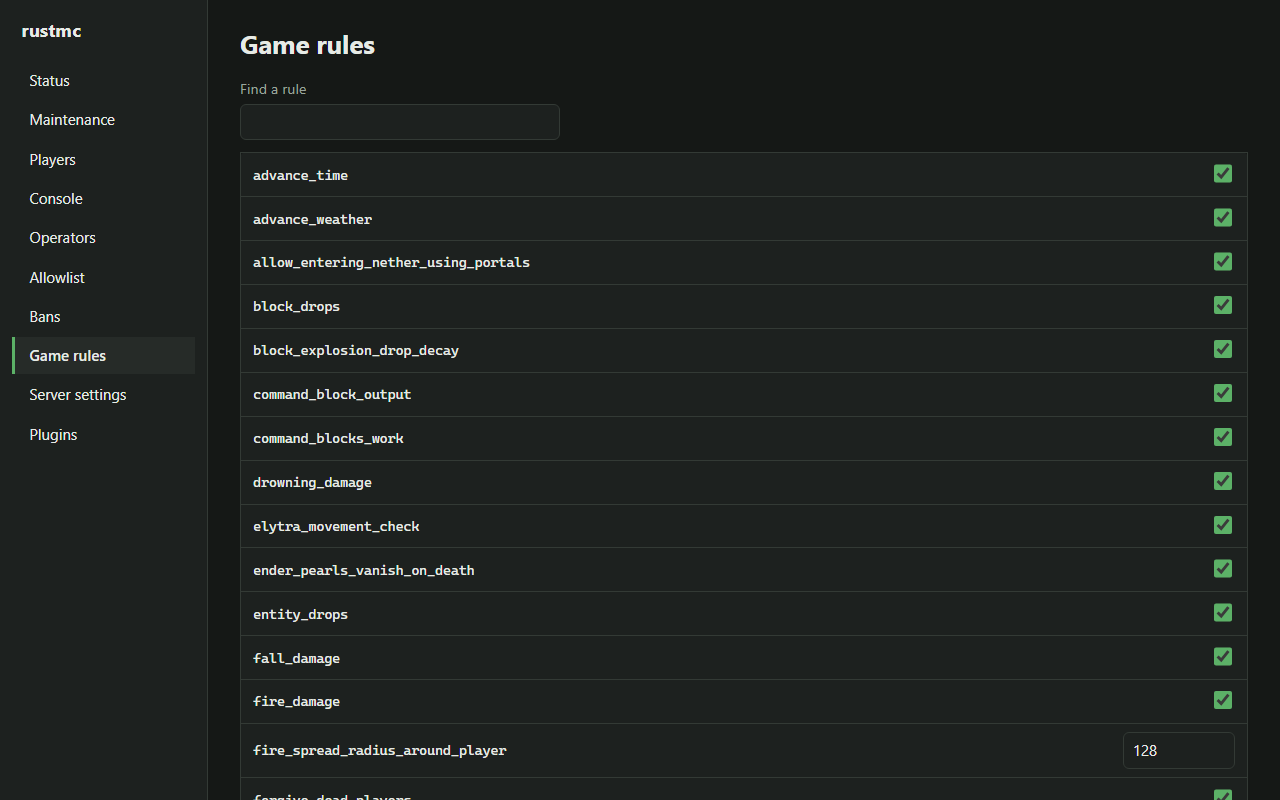
The web portal shows the server's status, the players online and the console, and manages operators, the allowlist, bans, game rules, server settings and plugins. It is served by the management port and speaks vanilla's JSON-RPC management protocol itself, so anything that protocol can do, the page can do.
- Operators of level three or more sign in with a one-time link from
/portalin game, checked again on every connection. - Every change made through it is written to an audit log, with who made it.
- Off by default: with it off, the management port is exactly vanilla's.
06 / World generation
The same seed, the same world
World generation is built for seed parity: the same seed should make the same world here as in the game. Terrain is a stack of arithmetic where nearly right is a different world, so each layer is checked against numbers taken from the game itself rather than written from a description.
- Each game version's generation is a generator of its own, frozen to that version, so a world can keep the generation it was started with while the server moves on, and chunks already saved are never regenerated. The 26.2 and 26.3 generators are in the repository.
- A world's datapacks feed generation at startup: noise settings, biome sources, surface rules, features and structures.
- Generators are plugins too, so a game mode can bring its own map.
# rustmc.yml
worldgen:
  generator: vanilla-26.3
07 / Pre-generation
Build the world before anyone is waiting
Reading a chunk off disk is far cheaper than generating it, so RustMC can generate a world up front. The pregenerate tool sweeps a square of the world on as many threads as you give it, one region file per worker, and resumes where it stopped.
On a running server, plugins can queue chunks through the queue_chunks host calls. They are built on the pre-generator's own threads, never on the tick, leaving at least half the chunk builders for players, and each is written to its region file before it is reported done.
cargo run --release -p rustmc-server --bin pregenerate -- \
    world 5000 --threads 8
08 / Recipes
Every recipe, for client mods
Since 1.21.2 the game no longer sends clients its recipes. RustMC gives plugins the whole set, datapack recipes included, as vanilla recipe JSON, with a revision that changes only when a reload changes a recipe. A plugin can hand that to a client mod that shows recipes.
{"call": "recipes", "offset": 0, "limit": 100}09 / Operations
Built in, off until you want it
Backups
The world, the server's files and plugin data, backed up during play without stopping anybody.
Maintenance mode
Close the server to all but those with the bypass, with your message, through a restart.
Anti-xray
Per world. Hidden blocks are sent as the rock around them until a face opens; the world on disk is untouched.
Resource-pack host
Serves packs over HTTP itself and works out the SHA-1 a client checks.
MCP endpoint
Lets an AI assistant read a running server and run console commands, behind a token, on localhost by default.
Restarts on request
A plugin can ask for a restart; the server saves, stops and exits with a code a start script restarts on.
10 / Showcase
Built on the API by FSI
FSI runs its network on RustMC and builds its features as plugins against the same API you get. These are FSI's own plugins, not part of RustMC and not available to download. They are here to show what the API can carry.
Land claims
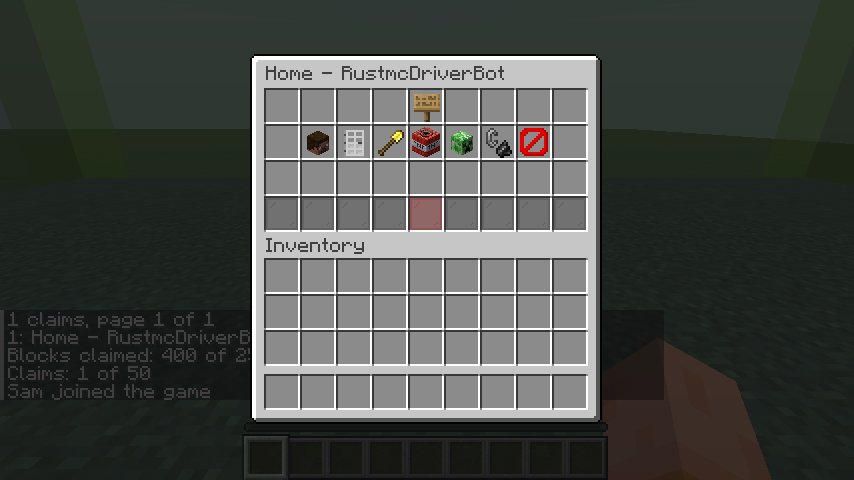
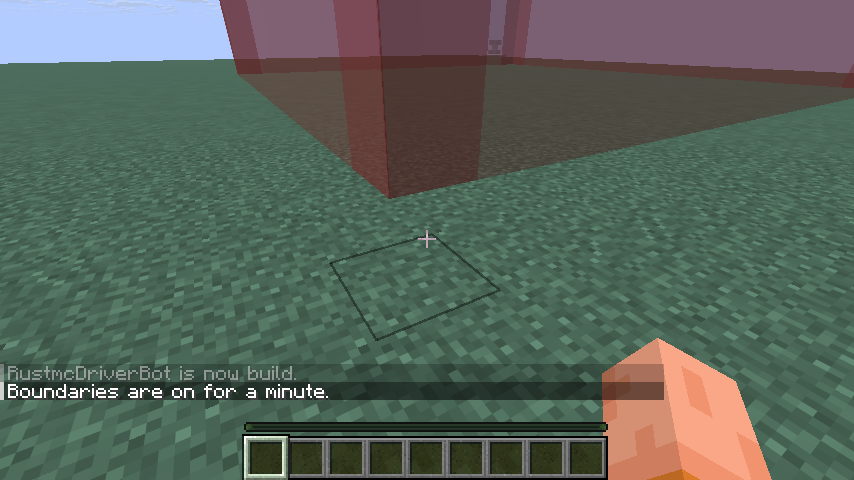
Claims are made, resized and shared from in-game menus, show their boundaries in the world, and appear on the web map as a layer, all through the plugin API.
FSI's other plugins include Plan analytics and its game modes, built the same way.